Answer at the right moment
Customers get useful answers while their interest is still fresh, even when you are busy.
 RealLink AI
QR Codes on Flyers
Your flyer gets attention for a few seconds. RealLink AI helps the next moment continue: customers scan, ask the question they already had, get approved answers, choose an official booking, ticket, or contact next step, and leave you with question insights for the next campaign.
At a glance
Customers get useful answers while their interest is still fresh, even when you are busy.
Guide people to the right link, inquiry, booking, or contact option without making them search.
Repeated questions show what to explain better on the page, in print, and in your service.
Point / Summary
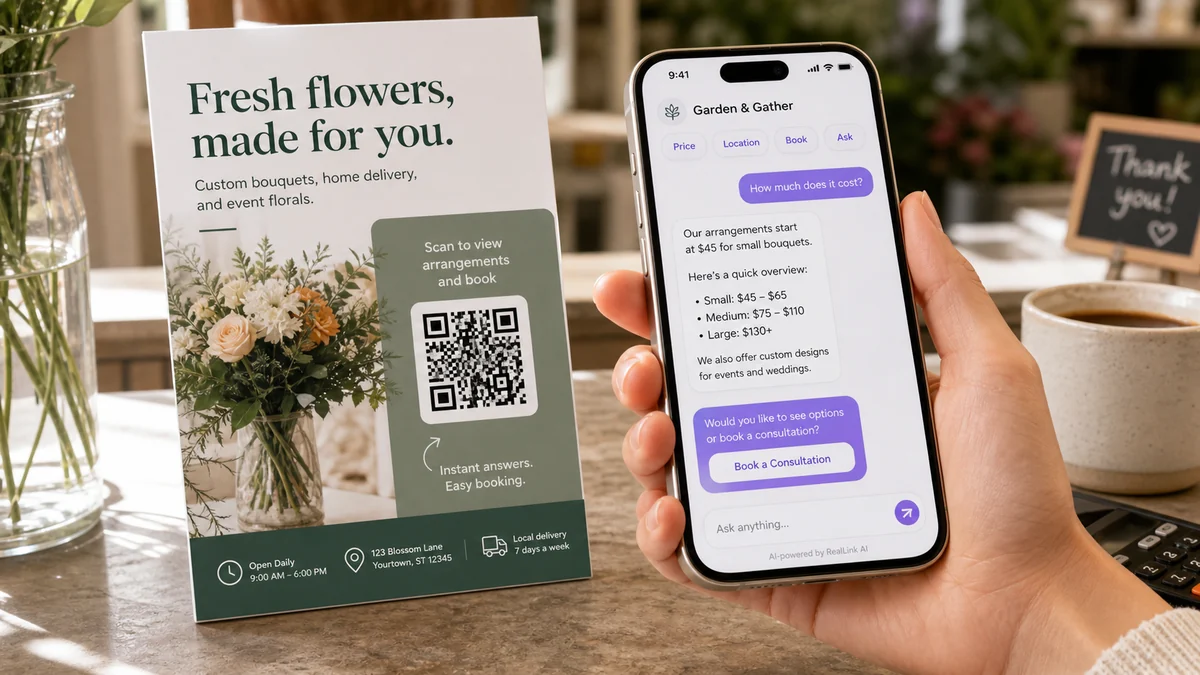
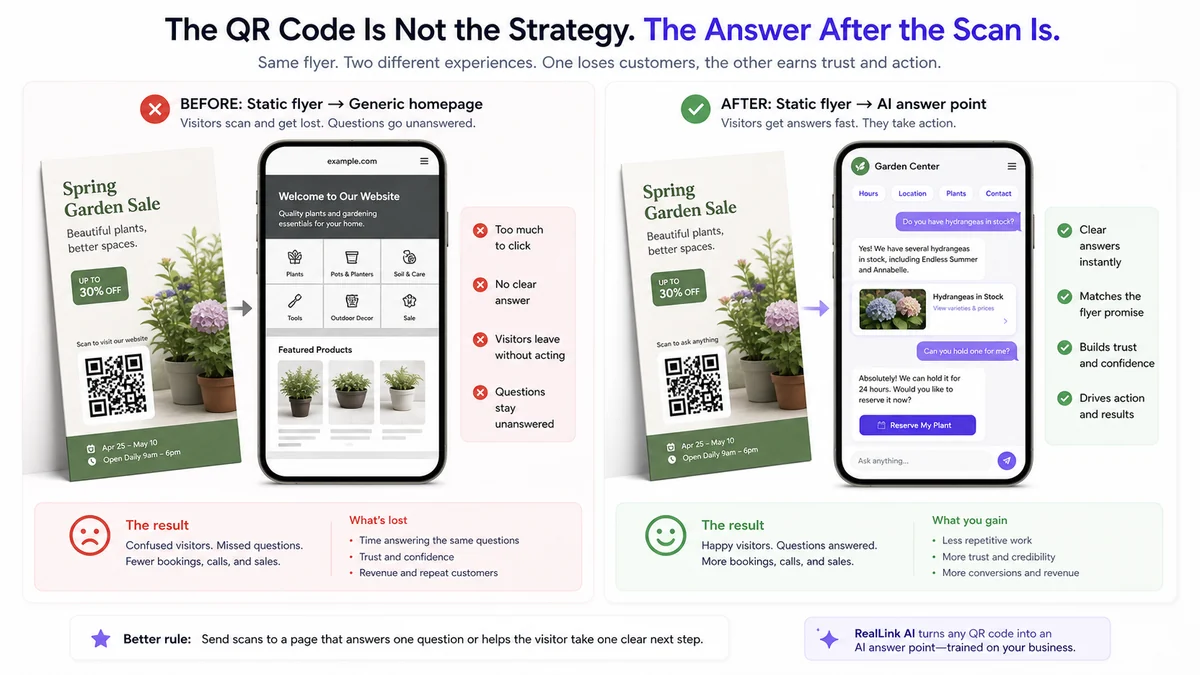
Most flyer scans fail because the link sends people to a homepage, a PDF, or a page that does not match the printed promise. A stronger flyer QR opens a focused AI answer page. It answers the questions the flyer created, shows a clear next step such as an official booking or ticket link, and records repeated questions so you can improve the next print run. The QR code is not the strategy. The answer after the scan is.
Who this is for
This use case is for small businesses that already print attention: menus, coupons, open-house flyers, local service brochures, event cards, direct mail pieces, and pickup inserts. If a customer may read it and still wonder what to do next, the flyer needs an answer point.
Answer service area, price range, schedule, estimate prep, and booking questions.
Answer menu, hours, parking, reservation, allergy, and limited-time offer questions.
Answer open house, showing time, neighborhood, price, and contact questions.
Answer ticket, schedule, location, parking, family-zone, and day-of questions.
What customers ask
They usually do not want a full website. They want the answer that helps them decide whether the flyer is relevant right now.
What exactly do you offer?
How much does it cost?
Where are you located?
Where is the booking or ticket link?
What are today's posted hours?
Before vs after
How the flow works
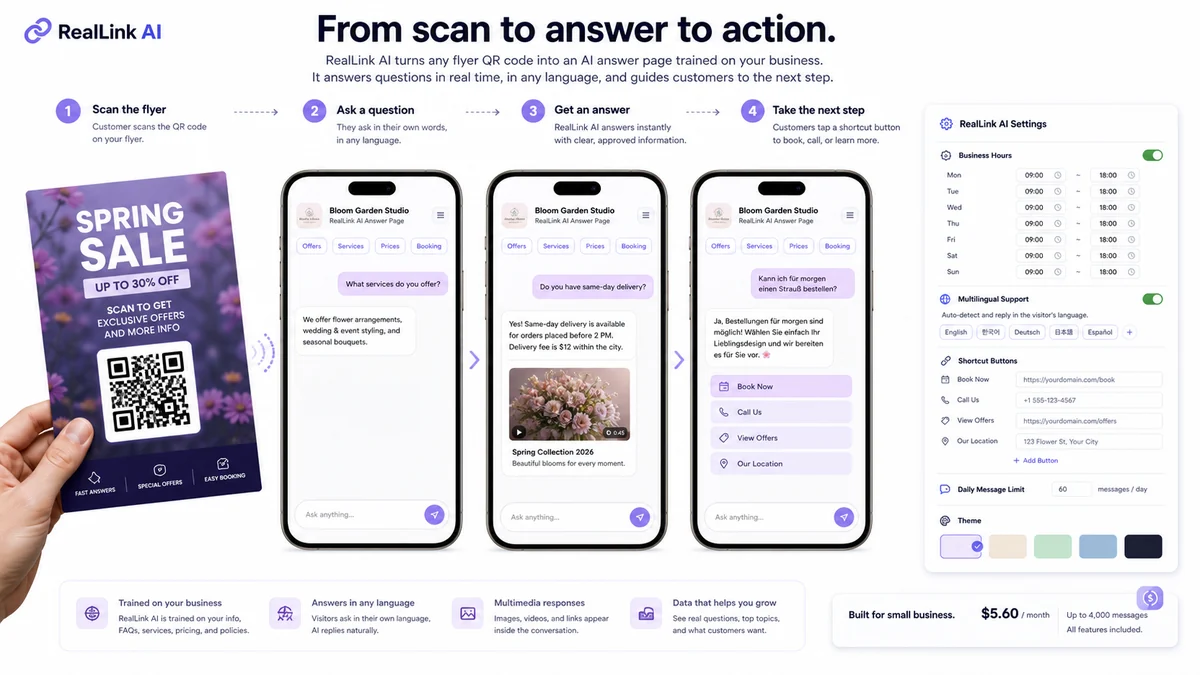
The flow is simple enough for a small business: flyer or link, customer question, approved answer, useful link inside the answer, then insights from the questions customers keep asking.
The QR opens the answer page for this flyer.
The customer asks in natural language, including another language when multilingual support is on.
RealLink AI answers from the information you provided, with speech bubbles and useful links or media inside the answer.
The answer can include official booking, ticket, call, directions, quote, website, or human handoff links.
You see repeated questions, knowledge gaps, and hesitation patterns.
Example conversation
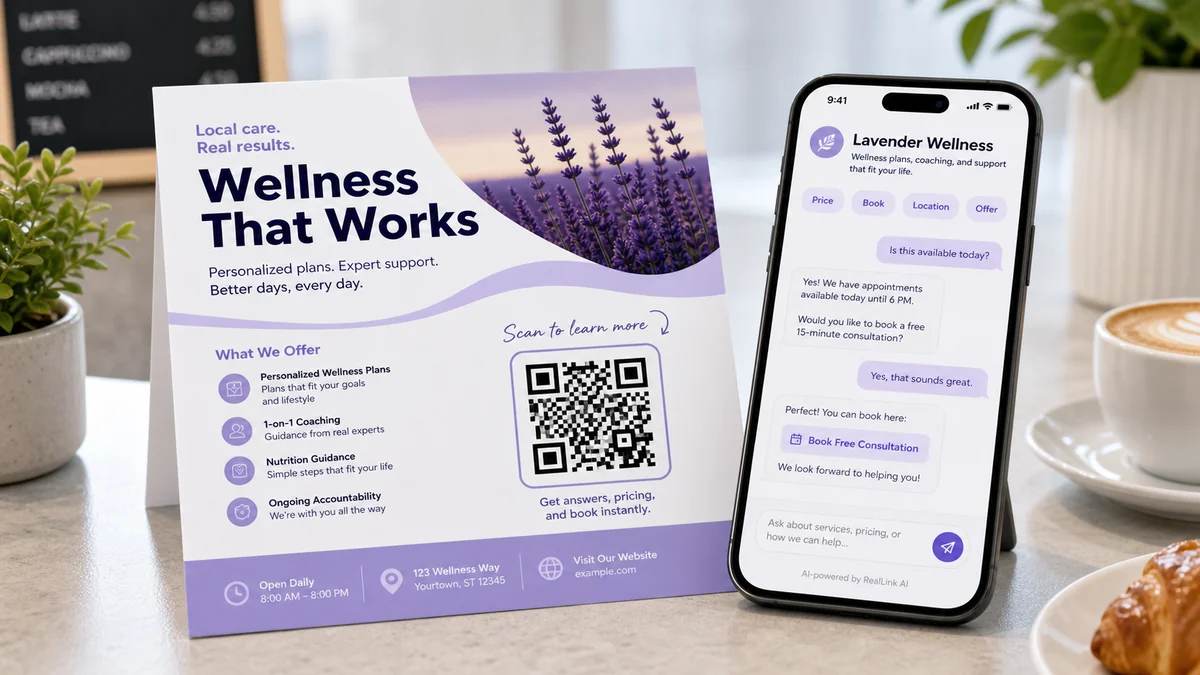
Answer the customer's question directly, then guide them to the official booking or ticket page when that is the right next step.
Hi. The World Food Festival is happening now. I can help with food zones, posted hours, ticket links, and event directions.
When does the night market food zone close?
The night market food zone is open until 9 PM. From the main entrance, walk about 30 meters to the right. The first stalls are the grilled seafood stand and the dessert truck.
Can I check tickets or reservations here?
Yes. General entry is shown as $12, and children under 6 are listed as free. For current ticket purchase or reservation details, use the official festival link here: [ticket link].
Data and insight
Customer questions are buying signals. RealLink AI can turn repeated questions into practical insight for operations, marketing, and the next version of your printed material.
See whether customers ask about price, location, posted hours, parking, product details, refund rules, or official booking links.
If the same question appears often, add that answer to the AI page, staff script, FAQ, or next print design.
Spot busy times, language demand, and moments when customers hesitate before using the official booking page or buying.
Related free tool
Use the free flyer QR planner to choose the scan promise, customer question path, print placement, and follow-up checklist before the flyer goes out.
Try the Free Flyer QR Code PlannerFAQ
It should link to a focused page that answers the question the flyer created. For many small businesses, that means offer details, price or range, location, posted hours, official booking or ticket link, directions, and a way to ask follow-up questions.
Only if the homepage is already built for that exact flyer. Most homepages are too broad, so customers have to search again. A focused answer page is usually stronger.
Start with the questions people ask before they take action: what you offer, how much it costs, where you are, what the posted hours are, where the official booking or ticket link is, and what happens next.
Yes. If multilingual support is enabled, RealLink AI can respond in the visitor language. This is useful for tourism, export, trade, restaurants, events, and businesses that meet international customers.
Human handoff should cover sensitive questions, final quotes, complaints, medical, legal, financial, safety, or complex decisions. The AI answer page should handle simple, repeated, approved information first.
The owner can learn which questions repeat, what information is missing, which topics create hesitation, what languages customers use, and which time periods bring more interest.
No. The point is to turn an existing flyer, brochure, mailer, or event handout into a public AI answer page without rebuilding a full website first.
Next step
A QR code should not just send people somewhere. It should answer the question they had when they scanned it. Create AI for your flyer, sign, menu, card, or packaging.
Turn your flyer into an AI answer page