Answer at the right moment
Customers get useful answers while their interest is still fresh, even when you are busy.
 RealLink AI
Tourist Attraction AI Guide
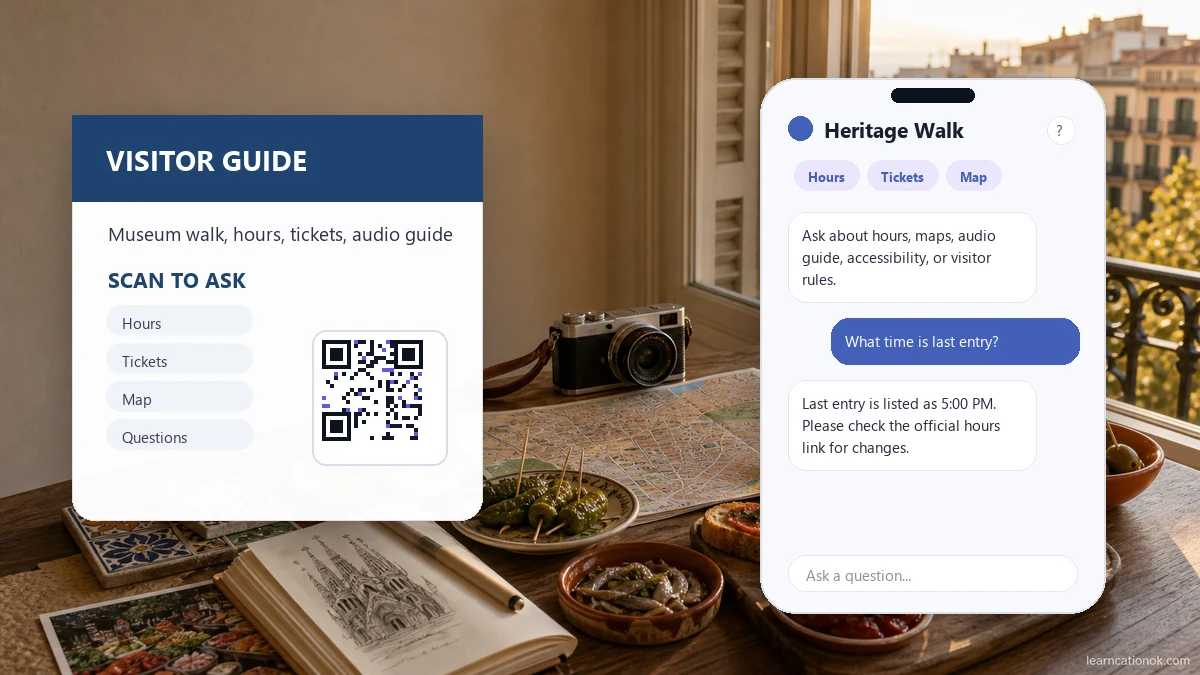
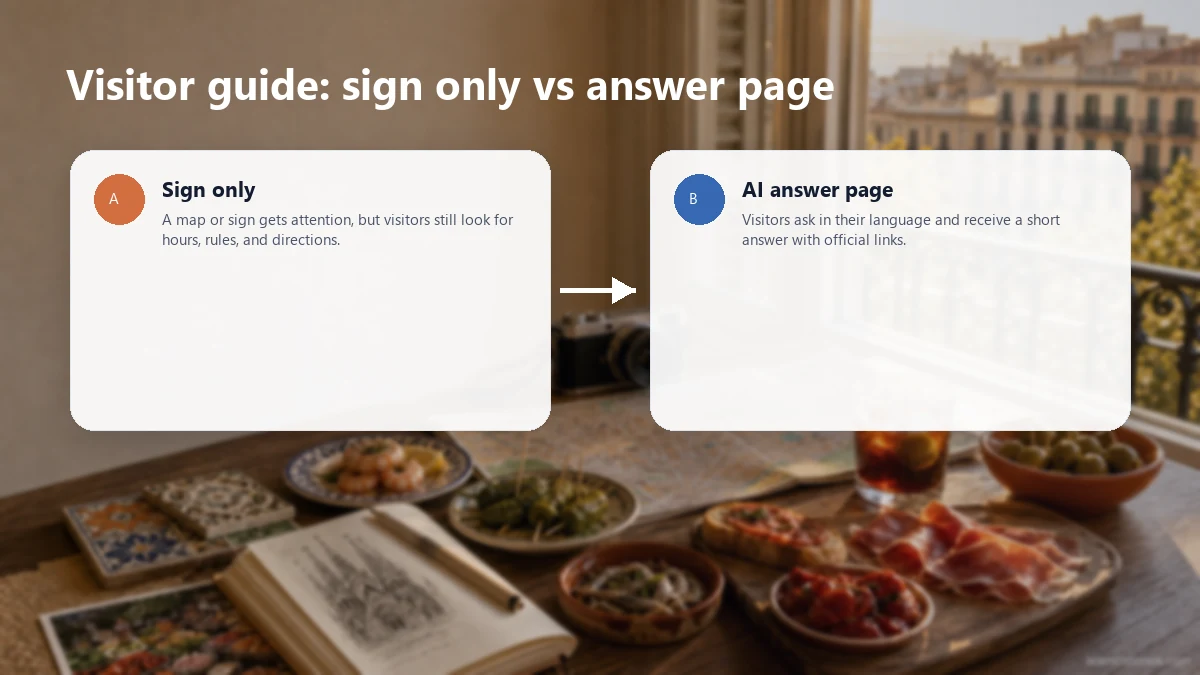
A visitor sign, map, brochure, ticket, or QR code can get attention, but visitors still need clear answers. Let them scan and ask about hours, ticket links, directions, audio guides, accessibility, facilities, rules, and the best official next step.
At a glance
Customers get useful answers while their interest is still fresh, even when you are busy.
Guide people to the right link, inquiry, booking, or contact option without making them search.
Repeated questions show what to explain better on the page, in print, and in your service.
Point / Summary
A good attraction QR code helps visitors continue the moment: scan, ask a simple question, get an answer from trained attraction information, and move to the right official link. RealLink AI can explain hours, maps, ticket links, audio guide details, rules, accessibility, and visitor next steps while showing operators what people keep asking.
Who this is for
This page is for tourism boards, museums, landmarks, parks, heritage sites, galleries, observation decks, guided tour operators, local attractions, visitor centers, and city information teams that use signs, maps, brochures, tickets, table cards, QR plaques, or printed visitor guides.
It is especially useful when visitors arrive with small questions that staff hear all day: where to enter, what time the site closes, where the audio guide is, how tickets work, where the restroom is, whether the route is accessible, or which official link they should use next.
Common visitor questions
What are the opening hours?
How much are tickets?
Where is the entrance?
Can I see the map?
Is there an audio guide?
Before vs after
How it works
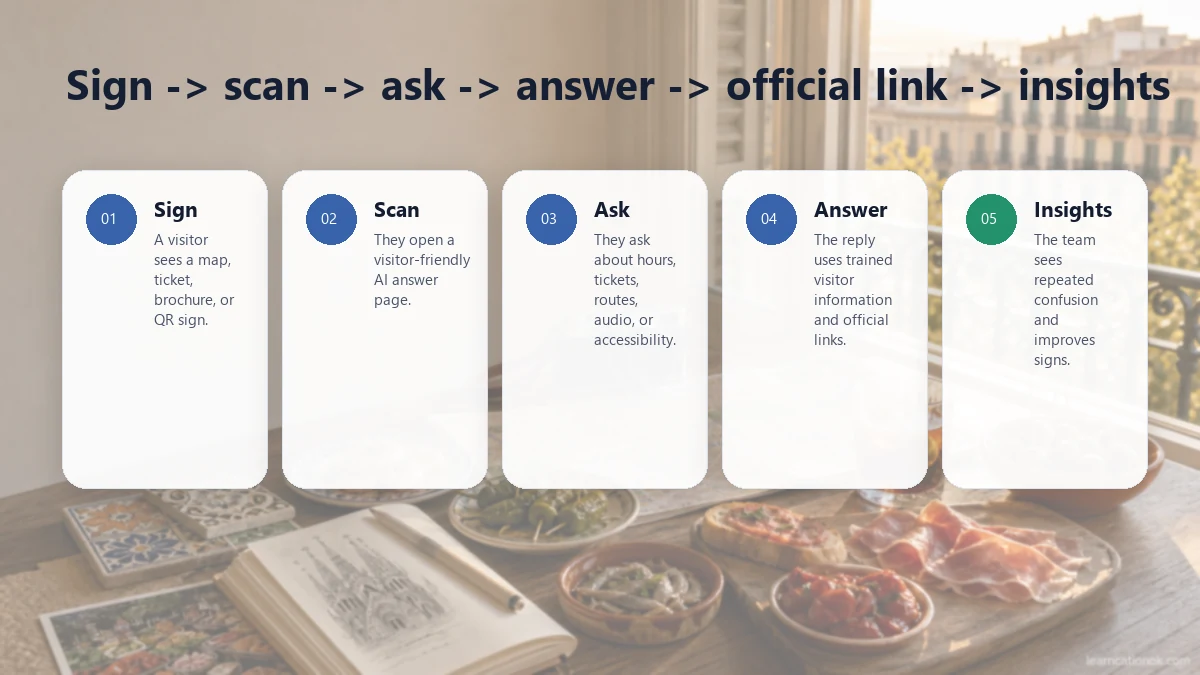
A visitor sees a QR code on a sign, map, ticket, brochure, exhibit label, or visitor guide.
They scan because they want one quick answer before walking, buying a ticket, or asking staff.
They ask about hours, tickets, directions, maps, audio guides, facilities, rules, or accessibility.
The AI answer page replies from trained attraction information and keeps the answer short enough to use on a phone.
The answer can include an official ticket link, map, audio guide, visitor video, contact page, or accessibility guide inside the bubble.
The operator sees repeated questions and uses them to improve signs, maps, brochures, staff notes, and future visitor guidance.
Example conversation
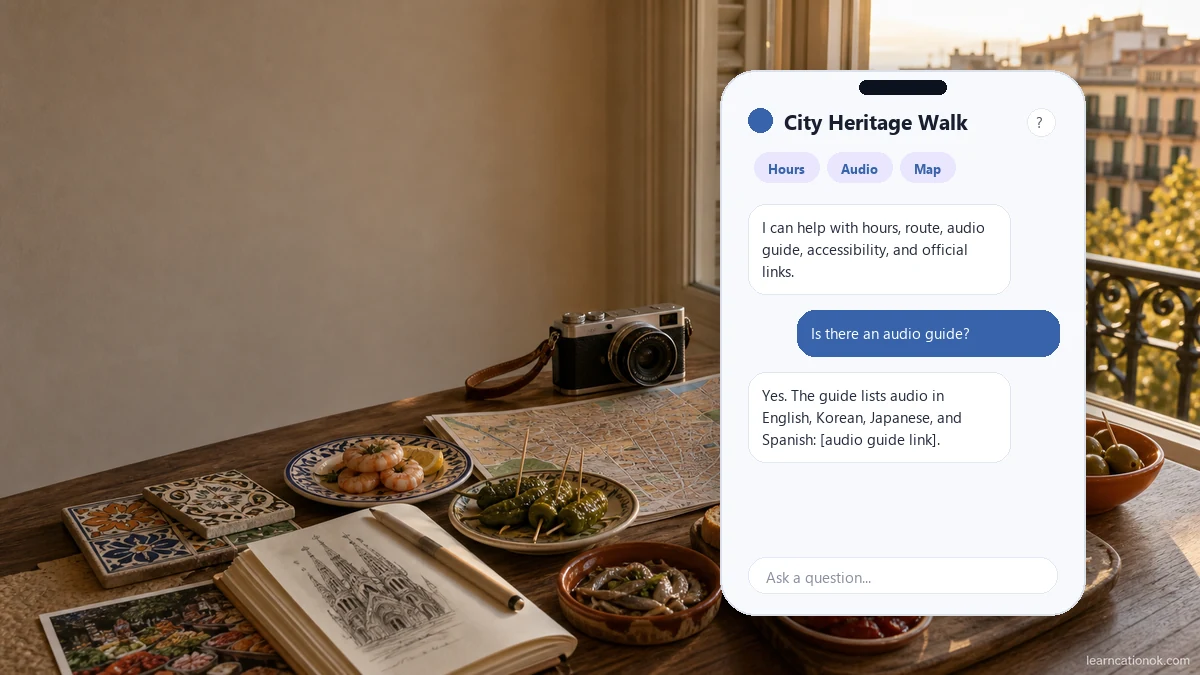
Hi. I can help with opening hours, ticket links, directions, visitor rules, accessibility, and simple background information about this place.
What time does last entry close?
The visitor guide lists last entry at 5:00 PM, and the site closes at 6:00 PM. Please check the official hours link here for today's changes: [official hours link].
Is there an audio guide?
Yes. The guide information lists audio in English, Korean, Japanese, and Spanish. You can open it here: [official audio guide link].
What should I not miss if I only have 30 minutes?
Start with the main viewpoint, then the heritage room, and finish at the garden path if you still have time. The short route is shown on the official map: [map link].
Data and insight
Repeated questions about entrances, exits, maps, restrooms, ticket counters, and route order show where signs and maps need clearer wording.
If visitors ask how to buy, reserve, refund, or confirm tickets, the sign and answer page should point to the official ticket link sooner.
Tourists and international visitors can ask in their language when multilingual support is enabled, helping the attraction serve more people with the same QR.
Questions about step-free access, elevators, seating, strollers, wheelchair routes, or quiet spaces reveal which accessibility notes should be easier to find.
Questions about restrooms, lockers, parking, food areas, gift shops, and lost items show what visitors need before they feel comfortable staying longer.
Questions about history, exhibits, viewpoints, photo spots, or recommended routes show what visitors care about beyond basic logistics.
Visitors may ask an AI answer page small questions they would not wait in line to ask staff. Those small questions often reveal real friction.
Question patterns can improve maps, brochures, exhibit labels, staff notes, audio guide content, FAQ pages, and printed QR prompts.
FAQ
It should link to a focused answer page where visitors can ask about opening hours, ticket links, maps, directions, audio guides, visitor rules, accessibility, facilities, and official next steps.
Only if the attraction provides an official live system or link for visitors to check. Otherwise, the answer page should point visitors to the official ticket, hours, or booking page and avoid claiming live availability.
Yes, when multilingual support is enabled. Visitors can ask in their language and receive a clear answer in that language, based on the attraction information the operator provides.
Yes. RealLink AI answers can include helpful links and media inside the answer bubble, such as an official map, audio guide, visitor video, ticket page, accessibility note, or safety guide.
Emergencies, lost children, medical issues, complaints, payment disputes, security issues, accessibility incidents, and anything needing live judgment should route to attraction staff or an official contact point.
Yes. Museums, local landmarks, parks, heritage walks, galleries, observation decks, guided tours, tourism offices, and visitor centers can all use an AI answer page to reduce repeated visitor questions.
Operators can review repeated questions about hours, tickets, directions, maps, accessibility, facilities, rules, language needs, and exhibit or landmark curiosity. These patterns can improve signs, brochures, maps, staff notes, and future visitor guidance.
Final CTA
Visitors want quick answers while they are already walking, waiting, or deciding what to see next. Give them one place to ask about hours, tickets, maps, audio guides, accessibility, and official next steps.
Turn your attraction QR into an AI answer page