
Small business software buying guide
Affordable Customer Service Automation for Small Businesses
A cost worksheet, question-risk map, vendor checklist, and 14-day pilot for choosing a tool without buying more automation than the business can operate.
Affordable customer service automation is not the tool with the lowest monthly price. It is the smallest reliable system that improves a defined customer task after subscription, setup, maintenance, escalation, and exit costs are counted.
Begin with the workload, not a vendor category. A clearer FAQ may fix unclear information. A shared inbox may fix ownership. A live answering service may fit calls that require judgement. A help desk may fit assigned cases. An AI answer tool may fit repeated factual questions. Buying the wrong category cheaply is still expensive.
This guide is for non-regulated U.S. small businesses evaluating ordinary customer-service workflows. Emergencies, safety decisions, sensitive advice, eligibility, financial or legal decisions, and final custom promises need qualified human handling and, where applicable, authoritative systems.
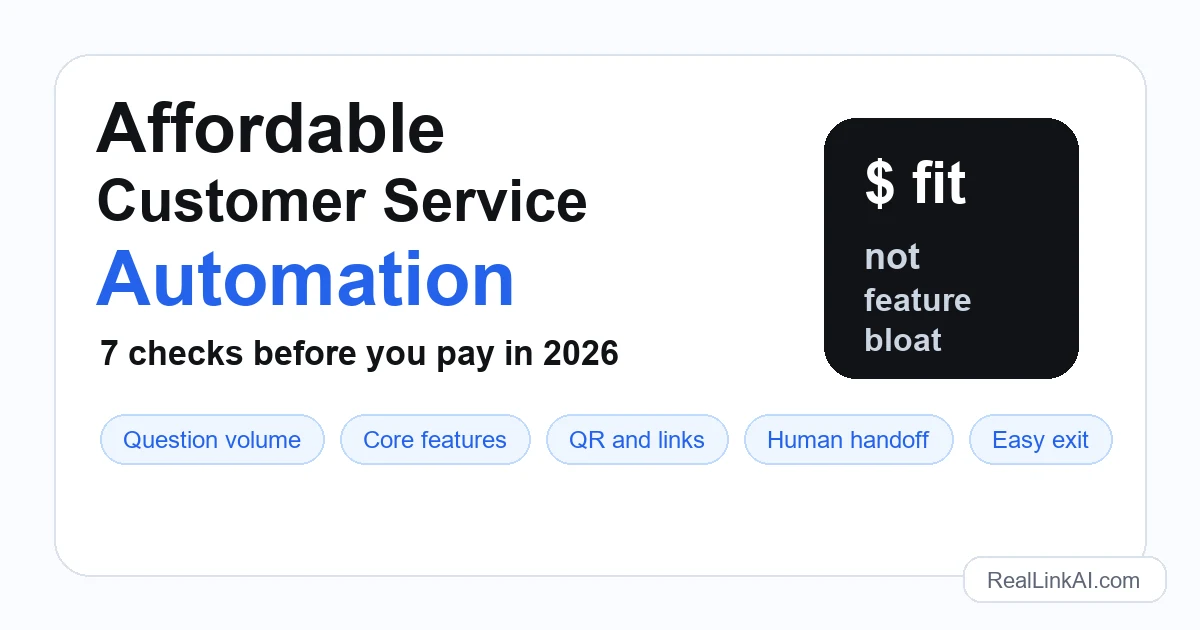
Start with 50 real customer questions
The U.S. Small Business Administration advises small businesses adopting AI to consider benefits and risks, start small, and test whether a tool adds value. Put that advice into practice by collecting 50 recent questions from phone notes, inboxes, forms, reviews, website search, social messages, QR entry points, and frontline staff.
For each question, record the channel, approved source, answer owner, frequency, consequence of a wrong answer, whether live data is required, and the correct human route. Then place it in one of four groups:
- Stable and factual: published hours, service area, preparation steps, product specifications, and contact routes.
- Live or changing: current stock, appointment availability, delivery status, technician location, and today's price.
- Judgement or exception: complaints, refunds, custom quotes, unusual damage, contract exceptions, and priority decisions.
- Sensitive or high consequence: emergencies, safety, regulated advice, eligibility, identity information, and decisions that materially affect a person.
The first group is the normal starting point. The other three need an authoritative live system, a human, a controlled escalation, or a clear refusal. This map prevents a cheap tool from becoming an expensive source of wrong promises.
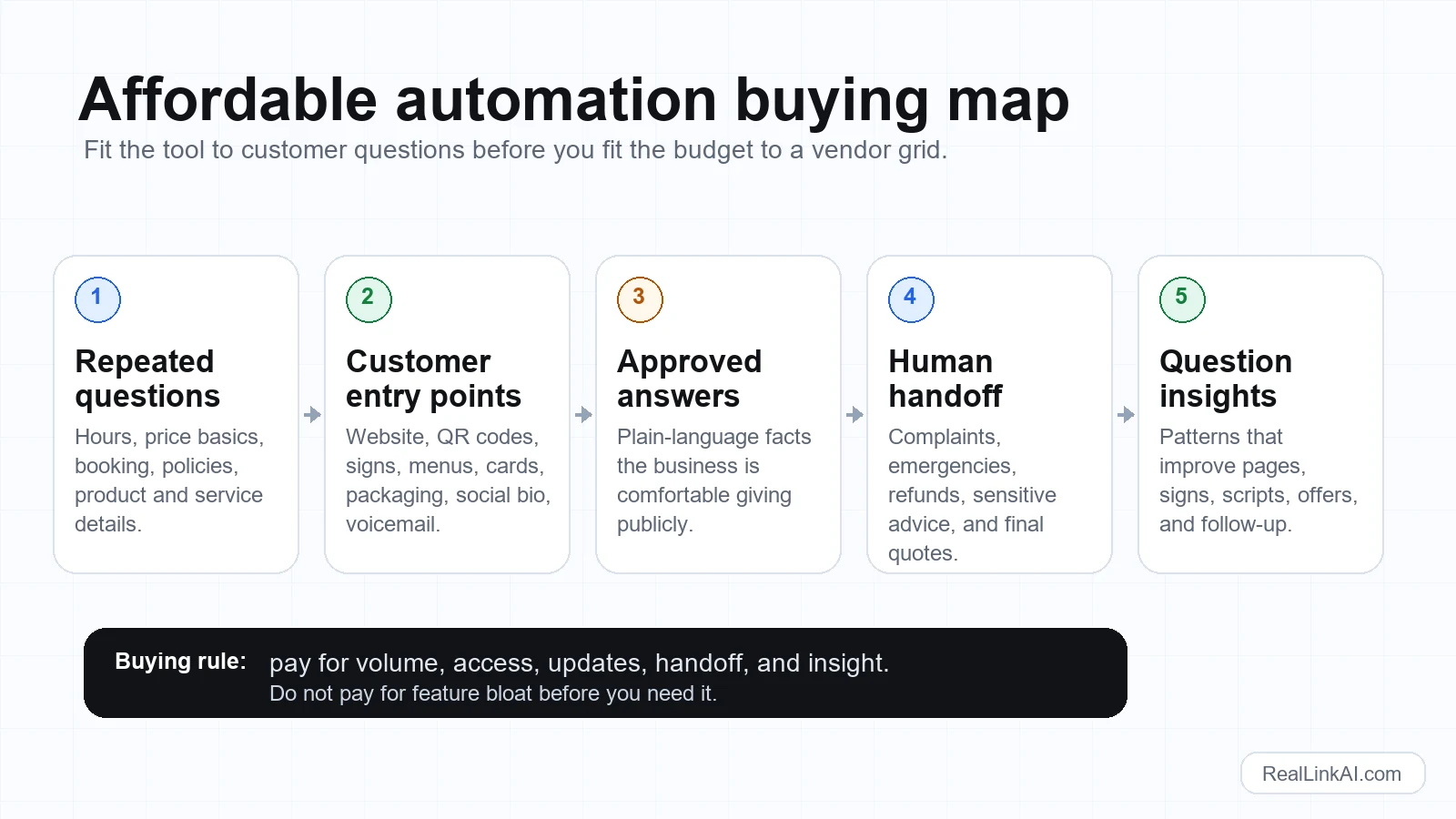
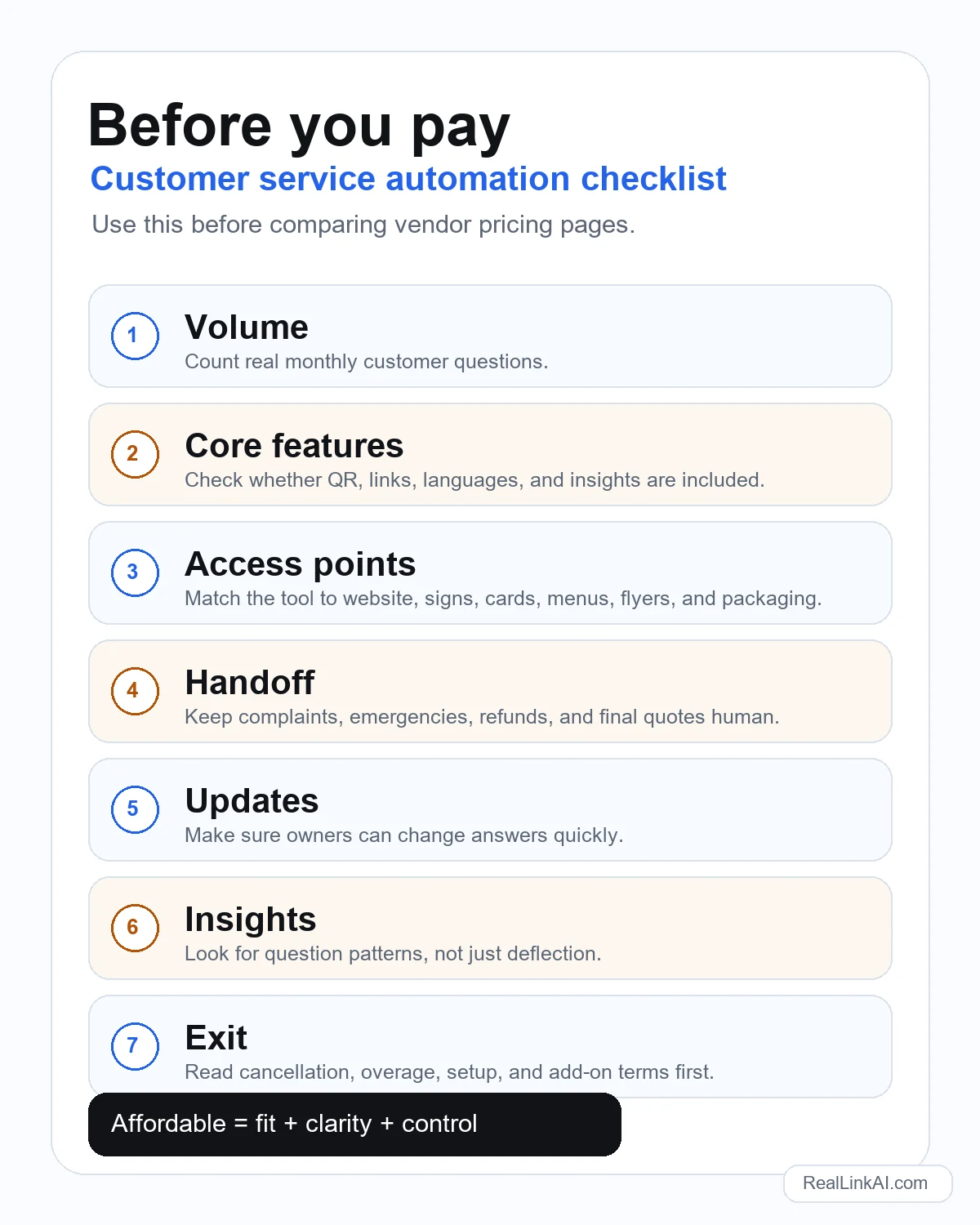
Seven checks before you pay
Use the same worksheet for a chatbot, answer page, missed-call tool, answering service, shared inbox, help desk, or hybrid. A fair comparison starts with the same workload and acceptance criteria.
1. Calculate first-year total cost
Use this formula: subscription plus expected usage or overages, staff seats, setup, content preparation, integrations, monthly answer maintenance, human escalation coverage, training, security or privacy review, and exit or migration work. Convert annual contracts to a monthly comparison, but keep the cash commitment visible.
Ask the vendor to demonstrate exactly what counts as a message, conversation, contact, AI request, phone minute, seat, channel, or knowledge source. Model a quiet month, an ordinary month, and a peak month. Record what happens at the limit: hard stop, automatic overage, degraded service, or forced plan change.
2. Confirm the selected job is included
Do not compare every feature. Confirm the few capabilities required by the question inventory and identify the paid tier that actually includes them.
- Can customers reach it through the required website, phone, email, QR, public link, or messaging channel?
- Can the business limit answers to approved sources and update them without a vendor ticket?
- Can unsupported, live-data, and sensitive questions follow a clear handoff or refusal rule?
- Are required languages, analytics, exports, roles, logs, and branding controls included?
- Do integrations exchange current data, or do they merely open an external link?
Ask for a live demonstration using your five hardest in-scope questions. A checkmark in a pricing table does not show how the workflow behaves.
3. Match access to the moment of the question
A website widget cannot fix a question that starts on product packaging, a trade-show sheet, a voicemail, a work vehicle, or an after-hours sign. A phone service is excessive when nearly every request starts from a specification sheet. Map the top 50 questions to their real entry points and buy coverage for those moments.
Test the full customer journey on a phone. Confirm load time, accessibility, language, identity of the business, privacy notice where needed, answer quality, fallback contact route, and what happens when the tool is unavailable. If QR codes matter, test the printed code and visible fallback URL rather than only the digital image.
4. Write the answer boundary before setup
For each question group, write one of four actions: answer from an approved source, ask for a missing non-sensitive fact, route to a named human channel, or decline and provide a safe next step. Do not let the tool invent availability, price, policy exceptions, or professional advice because the knowledge source is silent.
NIST's voluntary AI Risk Management Framework organises risk work around govern, map, measure, and manage, and its Generative AI Profile adds actions for risks specific to generative systems. For a small-business pilot, that means naming an owner, mapping foreseeable failures, testing outputs, recording incidents, and revising the controls throughout use.
5. Assign an answer owner and update clock
A correct answer becomes risky when hours, service areas, specifications, links, policies, or staff routes change. Every source needs an owner, review trigger, last-reviewed date, and emergency correction path.
- Can the owner correct a source and confirm the public answer without vendor support?
- How quickly do edits become active, and can an old version remain cached?
- Can staff see which source produced an answer and when it was reviewed?
- What happens when a linked booking, phone, form, or product page changes?
- Can a source or the whole public experience be paused during an incident?
Include maintenance time in total cost. A low subscription with an unowned knowledge base is not affordable.
6. Review data, access, and exports
Ask what customer information is collected, why it is needed, where it is processed, which vendor and staff roles can access it, how long logs and conversations remain, and how the business can export or delete its content and records. Do not place confidential, proprietary, identity, payment, health, or other sensitive information into a general tool merely because the prompt box accepts it.
Separate operational analytics from exact accounting. Grouped question themes can reveal unclear services, missing information, language needs, and broken pages, but semantic grouping may vary. Decide which data is decision support and which records require an authoritative system.
7. Test the exit before the purchase
Affordability includes leaving. The FTC has documented dark patterns that bury material terms, make cancellation difficult, and trick people into sharing data. Read the current contract and checkout flow rather than relying on an old summary of a changing rule.
Before paying, obtain written answers:
- What is the commitment, renewal date, notice period, and cancellation method?
- What happens to service and data at the usage limit or after cancellation?
- Can business sources, configurations, conversation records, and analytics be exported in usable formats?
- When are customer and business data deleted, and what remains in backups or logs?
- Who controls the domain, QR redirect, phone number, integration credentials, and public links?
- What setup, migration, early-termination, support, and professional-service fees apply?
Run one sample export before signing an annual contract. An export button is not useful if the file omits the content or structure needed to continue operations.
Run a 14-day pilot with pass and stop rules
Do not begin the pilot with every customer and channel. Choose one entry point, one owner, one staff backup, and a narrow set of stable questions. Keep the existing human route visible.
- Day 1: freeze the question inventory, approved sources, handoff instructions, and prohibited topics.
- Days 2-3: configure the smallest useful workflow and document every setting that affects answers, limits, privacy, and escalation.
- Days 4-5: test supported questions plus paraphrases, incomplete questions, outdated facts, live-data requests, complaints, sensitive prompts, and attempts to force unsupported promises.
- Days 6-10: expose the pilot to one controlled customer entry point and review failures daily.
- Days 11-13: correct sources, test again, and measure staff work as well as customer outcomes.
- Day 14: decide to proceed, revise, change category, or stop.
Define acceptance before testing. A supported factual answer should be accurate, understandable, sourced from current business information, and lead to the correct next step. A live, sensitive, or unsupported request should not produce a confident invention. Set zero tolerance for any failure category that could create unacceptable safety, legal, privacy, financial, or customer harm.
Choose the category that matches the job
- FAQ or focused page: use when the answer is stable, the main problem is clarity, and customers will read a structured page.
- Public AI answer page or chatbot: use for varied wording of repeated questions, with approved sources and a visible human route.
- Shared inbox: use when ownership and response consistency are the main problems but volume does not justify a help desk.
- Help desk: use when cases need assignment, status, internal notes, service targets, and an auditable workflow.
- Live answering service: use when phone coverage, empathy, urgency assessment, or conversational intake requires a person.
- Missed-call text tool: use when the main failure is an unanswered call and a text acknowledgement can route the customer safely.
- Hybrid: combine stable self-service with staff handling for exceptions, complaints, promises, and high-value decisions.
For more category detail, compare FAQ page structure, answering services, and the broader customer service automation setup guide.
Worked example: a small equipment supplier
A five-person U.S. equipment supplier receives questions through phone, email, product sheets, and trade-show QR codes. Staff report that model compatibility, power requirements, shipping preparation, warranty-process steps, and distributor contact routes repeat. Current stock, final freight cost, delivery date, and technical suitability for an unusual installation require live systems or human review.
The company tests a public answer tool only on product sheets and trade-show links. It loads approved specifications and process explanations, routes quote and stock questions to the staffed sales inbox, and refuses to make final compatibility or delivery promises. The pilot includes old model numbers, ambiguous voltage questions, unsupported countries, angry complaints, and requests for a final quote.
The owner measures the percentage of test questions correctly answered or routed, wrong or stale answers, staff time spent maintaining sources, enquiries that arrive with enough context, unresolved handoffs, and recurring information gaps. Raw conversation count is reported, but it is not the success metric.
The tool proceeds only if it reduces repeated explanation without creating unsupported product or availability claims. If the handoff is weak, the business fixes that operating route before adding more traffic.
Measure operating value, not "deflection" alone
- Questions answered accurately from current approved information.
- Questions correctly handed to a person or authoritative system.
- Unsupported or sensitive questions that produced an answer when they should not have.
- Staff minutes spent updating sources, reviewing failures, and handling escalations.
- Customer requests that include the information needed for the next step.
- Repeated question themes that lead to a better page, sign, script, or product explanation.
- Total monthly and first-year cost compared with the selected workload.
Avoid inventing a universal return-on-investment threshold. A low-volume question can still be valuable if it blocks a high-quality request, while a high-volume interaction can be meaningless if it never reaches a useful outcome.
Sponsored tool note: where RealLink AI fits
RealLink AI is a public AI answer page for business-provided information. Customers can reach it through QR codes or public links, ask in supported languages, receive answers based on trained information, and use configured plain links for the next step. Owners can review grouped question themes as decision support.
It is not a live answering service, help desk, CRM, booking engine, stock system, quote engine, legal or regulated adviser, or automatic compliance tool. It does not know live availability or another system's current data unless an explicitly supported workflow provides it. Current pricing and plan limits should be checked on the official pricing page before purchase.
Sources and Further Reading
- U.S. Small Business Administration: AI for small business
- Federal Trade Commission: Dark patterns report
- FTC: Subscription cancellation lessons from the Chegg settlement
- NIST: AI Risk Management Framework
- NIST: Generative AI Profile, NIST AI 600-1
FAQ
What is affordable customer service automation for a small business?
It solves a defined, repeated task at a total cost the business can sustain. Count subscription, usage, setup, content upkeep, integrations, human escalation, and exit work, not only the advertised monthly fee.
What should a small business automate first?
Start with stable, repeated, low-risk questions whose answers come from an approved source. Keep live availability, custom promises, complaints, emergencies, sensitive advice, and final decisions with a person or authoritative system.
How much should a small business pay for customer service automation?
There is no universal budget. Calculate first-year total cost across subscription, usage, seats, setup, content maintenance, integrations, escalation coverage, and export or migration, then compare it with a narrow measurable workload.
Is an AI chatbot cheaper than an answering service?
An AI answer tool may cost less for repeated factual questions. A live answering service is better suited to calls that need empathy, urgency assessment, or judgement. Compare both against the same inventory and escalation needs; many businesses use a hybrid.
How should a small business test automation before buying?
Run a small pilot with supported questions plus outdated, ambiguous, live-data, complaint, and sensitive examples. Define pass, handoff, and stop conditions first, record failures, and proceed only if the selected workflow improves without unacceptable risk.
Test a narrow answer workflow
After the question inventory, answer boundary, source owners, handoff route, and acceptance test are ready, compare the smallest plan that can run the pilot.