
Restaurant Menu QR Code Ideas: What Guests Should See After a Scan
Pick the destination from the guest's immediate task, then test the printed code, mobile page, fallback route, information boundaries, and update owner before it reaches a table or sign.
TL;DR
A restaurant menu QR code should complete one useful guest task: read the current menu, check today's hours or specials, open the official ordering or reservation route, or find an answer and a staff handoff. Label that task beside the code, keep an accessible alternative available, preserve the QR quiet zone, and test the final printed item in real light with more than one phone. Assign an owner for menu, price, hours, dietary-information, and link changes.
What are the key takeaways for restaurant menu QR codes?
A restaurant QR code is useful only when the destination matches the guest's situation. A table scan, window scan, delivery insert scan, and catering flyer scan should not always open the same page. The strongest QR menu setup answers the question behind the scan and gives one clear next step.
| Takeaway | Why it matters | Practical move |
|---|---|---|
| Match the scan moment | A guest at a table has different needs than someone outside the door. | Use different QR destinations for table, takeout, window, and event materials. |
| Answer before asking | Guests do not want to fill out a form before seeing value. | Show menu, hours, specials, dietary notes, or ordering guidance first. |
| Keep the next step obvious | More links can create more hesitation. | Use one primary action for the moment: order, ask, reserve, call, or view menu. |
| Treat repeated questions as data | Questions reveal friction in your menu, signage, staffing, and website. | Review common questions and update the menu copy, signage, or answer page. |
What should a restaurant menu QR code open?
A restaurant menu QR code should open the most useful answer for the guest's current moment. That might be a mobile menu, ordering page, specials page, reservation link, dietary FAQ, or AI answer page. The weak version is a QR code that opens a slow homepage or unreadable PDF.
Start by asking what the guest is trying to decide. At a table, they may need ingredients, spice level, allergens, photos, or drink pairings. At the door, they may need hours, wait time rules, happy hour, or whether the kitchen is still open. On a takeout insert, they may need reheating instructions, catering details, or the next-order offer.
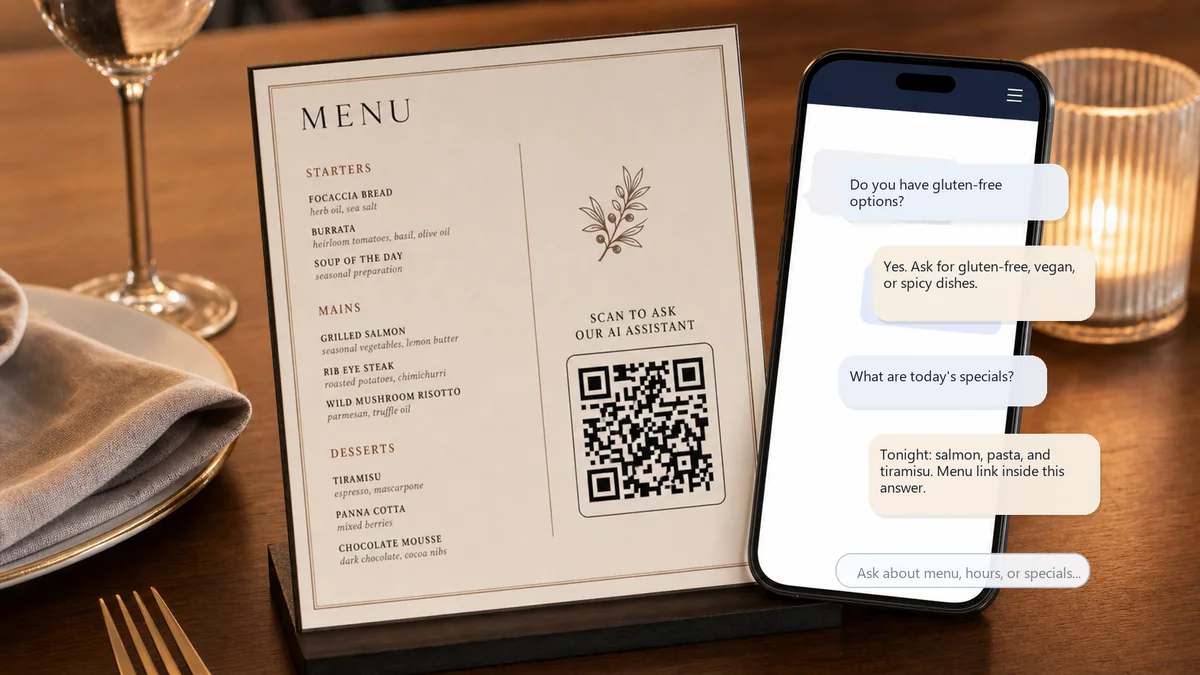
The printed label near the QR code should set the expectation. "Scan for menu" is fine when the destination is only a menu. "Scan for menu, specials, and questions" is stronger when the page lets guests find answers.

Why do restaurant QR menu codes disappoint guests?
Restaurant QR menu codes disappoint guests when the scan creates more work than it removes. A tiny QR code, slow page, generic homepage, outdated PDF, or menu without answers forces guests to ask staff anyway. The scan works technically, but the guest experience still fails.
Most restaurants add QR codes during a design or printing step. The code is treated as a shortcut to a file. But guests do not scan because they admire the QR code. They scan because they want to make a decision faster.
That decision might be simple: "Can I eat here?" It might be practical: "Is brunch still available?" It might be sensitive: "Which dishes are gluten-free?" If the QR destination does not answer that decision, the server still receives the same question, the counter still gets the same call, and the menu still creates friction.
What do most QR code guides miss about restaurant menus?
Most QR code guides focus on how to make the code, where to print it, or whether to use a dynamic URL. Those details matter, but they are not the strategy. The missing question is: what answer should appear after the scan?
This is the RealLink AI point of view: a QR code is not the strategy. The answer after the scan is. For restaurants, that answer must be short, mobile-friendly, and tied to the guest's immediate need.
A static menu can be enough when the guest only needs to browse. It is not enough when guests keep asking about dietary options, ingredient substitutions, private events, happy hour rules, parking, reservations, large parties, kids menus, catering, or kitchen closing time.
That is why the best restaurant QR code ideas are not just destinations. They are answer promises.
What questions do restaurant guests actually ask after scanning?
Guests usually scan restaurant QR codes because they want certainty before ordering, visiting, reserving, or calling. Their questions are often more specific than "show me the menu." They ask about time, ingredients, dietary fit, availability, ordering rules, and whether a next step is worth taking.
- What are today's specials?
- Do you have gluten-free, vegan, vegetarian, halal, or low-spice options?
- What time does the kitchen close?
- Can I make a reservation or join a waitlist?
- Do you offer takeout, delivery, curbside pickup, or catering?
- Which dishes are good for kids or large groups?
- Is happy hour available today, and what are the rules?
- Where do I park, and is the entrance accessible?
- Can I see photos or videos of popular dishes?
- Who should I contact for private events or allergies?
What is a bad restaurant QR solution versus a better one?
A bad QR menu solution sends every guest to the same static destination and leaves common questions unresolved. A better solution matches the scan context, answers the guest's likely question, and gives one clear next step. It is less about the QR code itself and more about the post-scan experience.
| Situation | Bad solution | Better solution |
|---|---|---|
| Dine-in table | QR opens a PDF menu that is hard to pinch and zoom. | QR opens a mobile menu plus answers for allergens, specials, and drink pairings. |
| Window sign | QR opens the homepage. | QR answers hours, kitchen closing time, waitlist rules, and current menu. |
| Takeout counter | QR opens a full website with ten navigation options. | QR opens order-ahead guidance, pickup details, popular items, and catering link. |
| Bar menu | QR opens a general food menu. | QR answers happy hour, nonalcoholic options, seasonal drinks, and kitchen hours. |
| Delivery insert | QR opens a discount page only. | QR answers reheating, next order, catering, and how to ask a food question. |
Which restaurant menu QR idea fits your business type?
The right restaurant QR code idea depends on the business model and the moment of use. A fine-dining restaurant, food truck, quick-service counter, cafe, bar, and catering operation need different scan promises. Use the table below to choose the strongest first destination.
| Restaurant type | Best QR promise | Best destination | Watch out for |
|---|---|---|---|
| Casual dine-in | Scan for menu, specials, and questions | Mobile menu or AI answer page | Do not hide allergen or substitution guidance. |
| Quick-service restaurant | Scan before you order | Popular items, ordering rules, pickup options | Do not make the line slower with a confusing page. |
| Food truck | Scan for today's menu and location updates | Current menu, hours, next location, social link | Do not imply live inventory unless it is actually updated. |
| Cafe or bakery | Scan for drinks, pastries, and dietary options | Menu categories, daily items, ingredients, order link | Do not bury dairy-free or gluten-free details. |
| Bar or brewery | Scan for drinks, happy hour, and kitchen hours | Drink menu, specials, event rules, food hours | Do not mix outdated drink lists with current specials. |
| Catering or private dining | Scan for catering questions | Package info, inquiry form, event FAQ, sample menu | Do not force a sales form before answering basics. |
What should you check before printing restaurant QR codes?
Approve the physical proof and the destination together. A code that scans from a monitor can fail after it is reduced, laminated, placed under glare, or printed across a fold. A page that works today can still mislead guests next month if nobody owns updates.
- Write one scan promise.Use exact copy such as "Open today's menu" or "Check menu, hours, and dietary information." Do not use an unexplained "Scan me."
- Choose the destination by placement.A table, front window, takeaway insert, catering flyer, and delivery bag can need different pages and actions.
- Keep the QR border clear.DENSO WAVE's QR guidance specifies a four-module quiet zone on every side of a standard QR Code. Do not let text, patterns, trim, or a logo enter it.
- Print an alternative route.Place a short, recognisable menu URL near the code and keep a usable non-phone menu option for guests who cannot or do not want to scan.
- Test the final material.Use the actual paper, laminate, table tent, window, or package. Test normal distance, angle, low light, bright light, glare, folds, and several recent phones.
- Test the mobile page.Check load time on mobile data, text size, zoom, contrast, keyboard navigation, link labels, and whether the first screen confirms the restaurant and task.
- Set an information boundary.State when guests must ask trained staff, especially for changing ingredients, cross-contact concerns, substitutions, live availability, and urgent needs.
- Name an update owner.Record who changes menu items, prices, hours, specials, ordering links, reservation links, dietary information, and holiday exceptions.
- Keep a rollback route.If the menu or ordering service fails, the printed URL and QR should lead to a controlled fallback rather than an error page or expired vendor account.
How should you handle accessibility, allergens, and menu data?
A QR code is an access route, not the menu itself. The U.S. Department of Justice explains that restaurants are businesses open to the public and that inaccessible web content can prevent people with disabilities from accessing a business's goods and services. It does not prescribe one restaurant QR layout. Use that guidance as a reason to test the mobile page and maintain an effective alternative, not as a claim that one checklist guarantees legal compliance.
Do not require a personal phone as the only way to know what can be ordered. Keep a current printed menu, staff-assisted route, accessible device, or another practical option appropriate to the restaurant. On the mobile page, use real text rather than an image-only menu, meaningful headings, sufficient contrast, descriptive links, zoom support, and controls that work without a precise tap.
Allergen questions need a clear handoff. The FDA identifies nine major food allergens for packaged-food labelling and advises consumers with a sesame allergy to ask restaurant staff about ingredients. Restaurant recipes, substitutions and cross-contact conditions can change. A QR page may show the restaurant's maintained ingredient or dietary information, but it should not invent a safety conclusion or replace a trained staff conversation when the answer depends on current kitchen practice.
Federal menu-labelling rules apply to covered U.S. restaurants and similar establishments that are part of a chain with 20 or more locations, operate under the same name and offer substantially the same menu items. Independent operators should not copy that threshold into a claim that no other federal, state or local requirement matters. Confirm the rules that apply to the actual operation.
Keep the restaurant's Google Business Profile menu information aligned with the QR destination. Google's current help page allows eligible food and drink businesses to manage menu items, photos or a menu URL, and notes that changes can take time to appear. Treat Google, the website, ordering service and printed materials as separate copies that need an owner and a change checklist.
What are practical restaurant QR code examples?
Practical restaurant QR code examples should connect a physical touchpoint to a specific guest question. The goal is not to add a QR code everywhere. The goal is to make the scan worth the guest's effort at exactly the moment they see it.
1. Dine-in table menu
Use a table QR code for menu browsing, dietary questions, daily specials, kitchen closing time, and drink pairings. The next step can be "ask your server" or a clear ordering path if your operation supports table ordering.
2. Takeout counter sign
Use a counter QR code to answer pickup timing, popular items, large order rules, catering availability, and reheating instructions. This can reduce repetitive counter questions during rush periods.
3. Food truck menu board
Use a QR code for the current menu, schedule, location notes, and dietary answers. Be careful with "sold out" or live availability claims unless someone updates the page consistently.
4. Bar specials and happy hour card
Use the QR code to explain happy hour days, excluded items, nonalcoholic options, kitchen hours, and event rules. This helps guests avoid awkward questions and helps staff repeat fewer policy details.
5. Tourist or multilingual restaurant menu
Use a QR code to let visitors ask in their own language about ingredients, spice level, ordering style, portions, and payment. This is especially useful near hotels, airports, convention centers, and tourist districts.
6. Catering or private event insert
Use the QR code to answer group size, sample menus, dietary accommodations, deposit rules, delivery radius, and who handles event questions. Then guide qualified guests to the official inquiry path.
How can a restaurant build this with ordinary website tools?
Create a fast mobile page in the restaurant's existing website system. Put the current menu or menu link first, then hours, service notes, ordering or reservation routes, dietary-information boundaries, parking, large-party rules, and a staff handoff. Use a different destination when the placement has a different job.
Assign one owner and a backup. Give them a change checklist covering the website, QR destination, Google Business Profile, ordering service, printed fallback, holiday hours, prices and specials. Review the page after every menu release and test the public URL without an administrator login.
Sponsored tool note: where RealLink AI fits
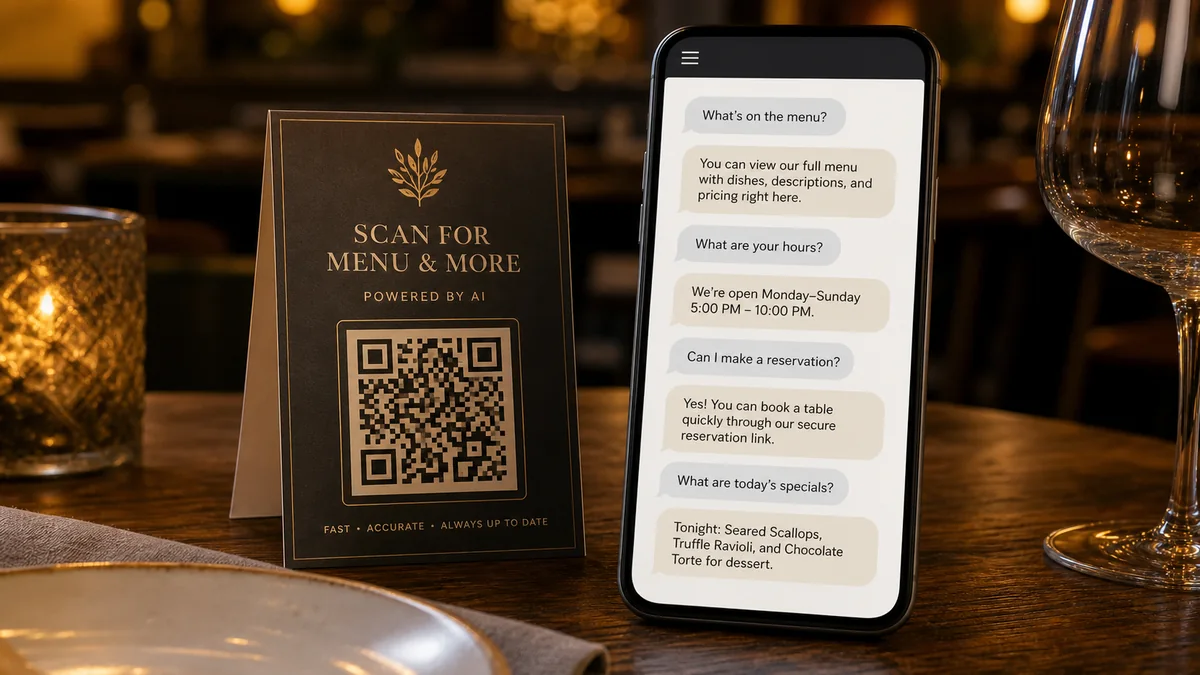
RealLink AI can provide a public AI answer page reached through a QR code or link. It answers from information the restaurant supplies, can provide configured public links, supports multilingual questions when enabled, and shows themes in the questions guests ask.
It does not know live table availability, current stock, same-day substitutions, kitchen cross-contact conditions, delivery status, prices or opening exceptions unless the maintained business information explicitly provides them. Use trained staff and the restaurant's official live systems for safety-sensitive or changing information.

Official sources used for this guide
- DENSO WAVE: Point for determining the code area - the standard QR Code quiet zone and print-area guidance.
- U.S. Department of Justice: Guidance on Web Accessibility and the ADA - why restaurants should make digital information accessible and provide effective communication.
- U.S. Food and Drug Administration: Menu and Vending Machine Labeling - the current federal menu-labelling scope for covered chain establishments.
- U.S. Food and Drug Administration: Sesame as the ninth major food allergen - current allergen context and the recommendation to ask restaurant staff about ingredients.
- Google Business Profile Help: About the menu editor - current menu items, photos, menu URL, and update workflow.
Sources were checked on August 3, 2026. Federal guidance does not replace the state, local, accessibility, food-safety, labelling, or licensing advice applicable to a specific restaurant.
FAQ about QR code ideas for restaurant menus
What is the best QR code idea for a restaurant menu?
The best idea is a QR code that opens a mobile-friendly menu plus answers to common guest questions. If your guests ask about allergens, specials, reservations, takeout, or hours, the QR destination should answer those too.
Should a restaurant QR code link to a PDF menu?
A PDF can work if it is fast, readable, and current. It is weaker when guests need interactive answers, clear next steps, or mobile-friendly sections.
Should I put a QR code on every table?
Only if it completes a useful table task and the restaurant can maintain it. Keep a practical alternative for guests who cannot or do not want to scan, and do not use a code as a replacement for staff help.
How do QR codes help reduce restaurant phone calls?
They help only when the destination answers the questions people call about: hours, reservations, takeout, parking, catering, dietary options, and kitchen closing time.
What should the QR code label say?
Use direct copy such as "Scan for menu and questions," "Scan for specials," or "Scan before you order." The label should promise a useful answer.
Can an AI answer page handle allergy questions?
It can repeat maintained restaurant information, but it should not make a safety decision about changing ingredients, substitutions, preparation, or cross-contact. Direct allergy questions to trained staff and keep the source information current.
Can RealLink AI show a reservation link?
Yes, RealLink AI can guide guests to an official reservation link when that link is provided. It should not claim live table availability unless a live integration supports it.
What is the difference between a QR code and an AI answer page?
A QR code is the doorway. An AI answer page is the destination where guests ask questions and receive useful answers, plain URL links, or configured YouTube/TikTok embeds after the scan.
How often should restaurants update QR menu destinations?
Update them whenever menu items, hours, pricing, specials, event rules, or dietary details change. Seasonal restaurants and food trucks should review them especially often.
Review note
Last updated: August 3, 2026. This guide was reviewed against current DENSO WAVE QR print guidance, U.S. Department of Justice web-accessibility guidance, FDA menu and allergen information, and Google Business Profile menu documentation.
Restaurant operators should verify the rules, ingredients, preparation practices, ordering systems and accessibility arrangements that apply to their own locations before printing.
Final CTA
Create a better answer after the scan.
A QR code should not just send people somewhere. It should answer the question they had when they scanned it. Create AI for your sign, flyer, menu, card, or packaging.
Create AI