Answer at the right moment
Customers get useful answers while their interest is still fresh, even when you are busy.
 RealLink AI
Product packaging
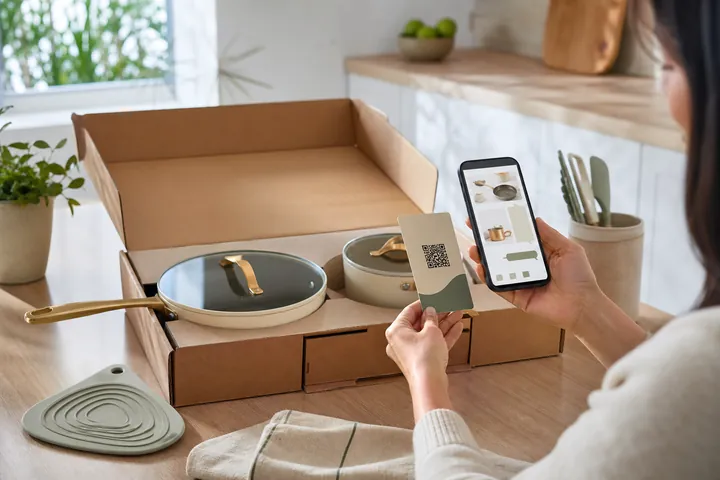
The first questions often appear after the box is opened. A package QR can lead to the exact product, keep support information close, and show a useful related catalog without forcing the customer through a corporate website.
At a glance
Customers get useful answers while their interest is still fresh, even when you are busy.
Guide people to the right link, inquiry, booking, or contact option without making them search.
Repeated questions show what to explain better on the page, in print, and in your service.
What changes
Use the package QR for the questions that do not fit on the label: setup steps, care, compatible accessories, model differences, warranty process, replacement guidance, demonstration media, and how to contact support.
A package can point to the catalog and include an item identifier so the customer lands in the right context.
The detail view helps customers confirm that they are reading information for the correct product.
The AI uses the published catalog and training information rather than guessing from the package image.
A setup or production video can appear when it directly answers the question and the customer chooses to connect.
Related items should solve a real customer need, not interrupt every support answer with a sales pitch.
When a person is needed, collect only the information required to reply and let the customer later review or delete their inquiry.
Workflow
The customer finds the QR on the box, label, insert, manual, or care card.
The catalog shows the product image, name, description, price context, and tags.
The customer asks about setup, care, parts, use, warranty process, or another product.
The answer provides approved text, a useful media link, or a related catalog item.
If the issue needs a person, the customer sends an inquiry through the configured form.
Practical boundary
A product question should receive the useful answer first. Show another product only when it is relevant, such as a compatible accessory, replacement, size, refill, or alternative. This keeps the catalog helpful instead of turning every support moment into an advertisement.
Questions
Yes. A catalog URL can include item context so the customer and mini assistant start from the relevant product.
When the answer is supported by catalog evidence, relevant product cards can include the optimized catalog image and link.
External media should use a privacy-aware preview or connection step so the provider receives data only after the customer chooses to open it.
The public inquiry status flow can let the customer review and delete their own submitted data while the owner retains only an anonymized deletion marker.
Start with setup, care, model, and support questions for one product line, then connect the QR to the published catalog.