Answer at the right moment
Customers get useful answers while their interest is still fresh, even when you are busy.
 RealLink AI
Restaurant and cafe menu
Guests should not have to choose between reading a menu and asking a question. A RealLink AI catalog lets them browse dishes, ask about prepared menu information, and move to a reservation or official ordering link when it fits.
At a glance
Customers get useful answers while their interest is still fresh, even when you are busy.
Guide people to the right link, inquiry, booking, or contact option without making them search.
Repeated questions show what to explain better on the page, in print, and in your service.
What changes
A static menu can show names and prices. The AI menu adds a conversation layer for questions about ingredients, portion style, dietary options, takeout rules, opening hours, parking, or reservation requests using the information the restaurant has approved.
Organize dishes, drinks, sets, seasonal items, or services so guests can find the right group quickly.
Use the built-in image editor to improve framing and color without distorting the food.
A foreign visitor can open the menu in their browser language and ask in the language they are comfortable using.
On mobile, the assistant can stay compact so the customer can still see the menu behind it.
If the guest asks to reserve, RealLink AI can open the reservation panel and guide the available date, time, and configured seat or resource choices.
Repeated questions can reveal unclear descriptions, missing dietary notes, confusing categories, or weak reservation instructions.
Workflow
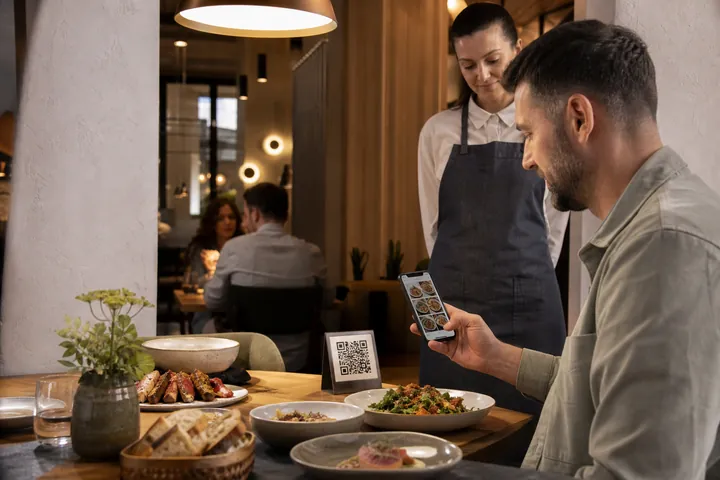
The guest scans a QR code on the table, counter, window, takeaway package, or printed menu.
They filter categories and open the dishes or services that interest them.
They ask a practical question without losing the page they were browsing.
They open the official order link, reservation request, map, phone, or full chatbot when needed.
The owner uses repeated questions to improve the menu and AI information.
Practical boundary
The AI can explain menu information that the restaurant has published. It should not invent real-time stock, table availability, sold-out items, or same-day operating changes. Put live ordering or inventory behind the official restaurant system and keep the catalog focused on clear customer guidance.
Questions
Yes. The owner chooses the catalog name, categories, currency, photos, and a menu-oriented design theme.
Not unless the business updates the catalog or connects customers to an official live ordering system. Do not present trained menu information as live inventory.
Yes. When reservations are enabled, the public AI can guide a configured booking request with available days, times, capacity, and optional seat or resource choices.
The catalog can prepare a visitor-language version on demand and reuse the cached translation until the source content changes or the cache expires.
Start with the most-asked-about dishes, add clear photos and prices, then test one menu QR from a real table.